QuickGuard Help Centre
How can we help?
Tell us who you are and we'll show you exactly how QuickGuard works for you, from first booking to getting paid.
Hiring with QuickGuard
From job post to a guard on site
Choose a plan
Your plan sets your monthly posting allowance and booking service fee.
Post your job
Describe the shift in minutes. Posting doesn't charge you.
Local guards are notified
Verified guards whose travel radius covers your location see it.
Pick your guard
Compare applicants and check their SIA credentials.
Pay securely
Review the total and pay through Stripe to confirm the booking.
Pay is released
Funds are held with Stripe and released after the shift is complete.
What you'll pay
Two separate costs, both shown upfront
Your subscription covers platform features and your monthly posting allowance. Each booking is paid separately: the guard's agreed pay plus your plan's service fee. Card processing is included, and the guard never has anything deducted.
Eligible launch promotions can reduce your service fee. Any applicable VAT is shown at checkout.
Compare plansYour plan
The guard receives £120.00 in full. Example only; your total is confirmed before you pay.
Cancelling a booking
The earlier you cancel, the more you get back
More than 24 hours before
Full refund
Including the service fee.
12 to 24 hours before
50% of guard fee
The service fee is retained.
Less than 12 hours before
No refund
The guard has kept the shift free for you.
If a guard cancels, you get a full refund including the service fee.
Cancel from My Jobs until the guard's payout has started. Our team reviews every refund request.
Licence checks
What we check, and when
Every guard you book has passed an SIA licence check. Here's exactly what is in place today and what's coming.
SIA licence check before any work
Every guard must pass an SIA licence check before they can take work through QuickGuard.
Automated weekly re-checks
We're developing weekly re-checks that will flag suspended, revoked or expired licences for review.
Browse help topics
Getting started
Set up your account and post your first job.
View articlesPlans & fees
Posting allowances, service fees and promotions.
View articlesChoosing a guard
Reading profiles, SIA credentials and reviews.
View articlesPayments & refunds
How payment is held, released and refunded.
View articlesCancellations & disputes
Cancelling, no-shows and raising a complaint.
View articlesAccount & billing
Invoices, subscription changes and your profile.
View articlesVisual Quick Start
Use these screenshots to recognise the main client screens before you start.
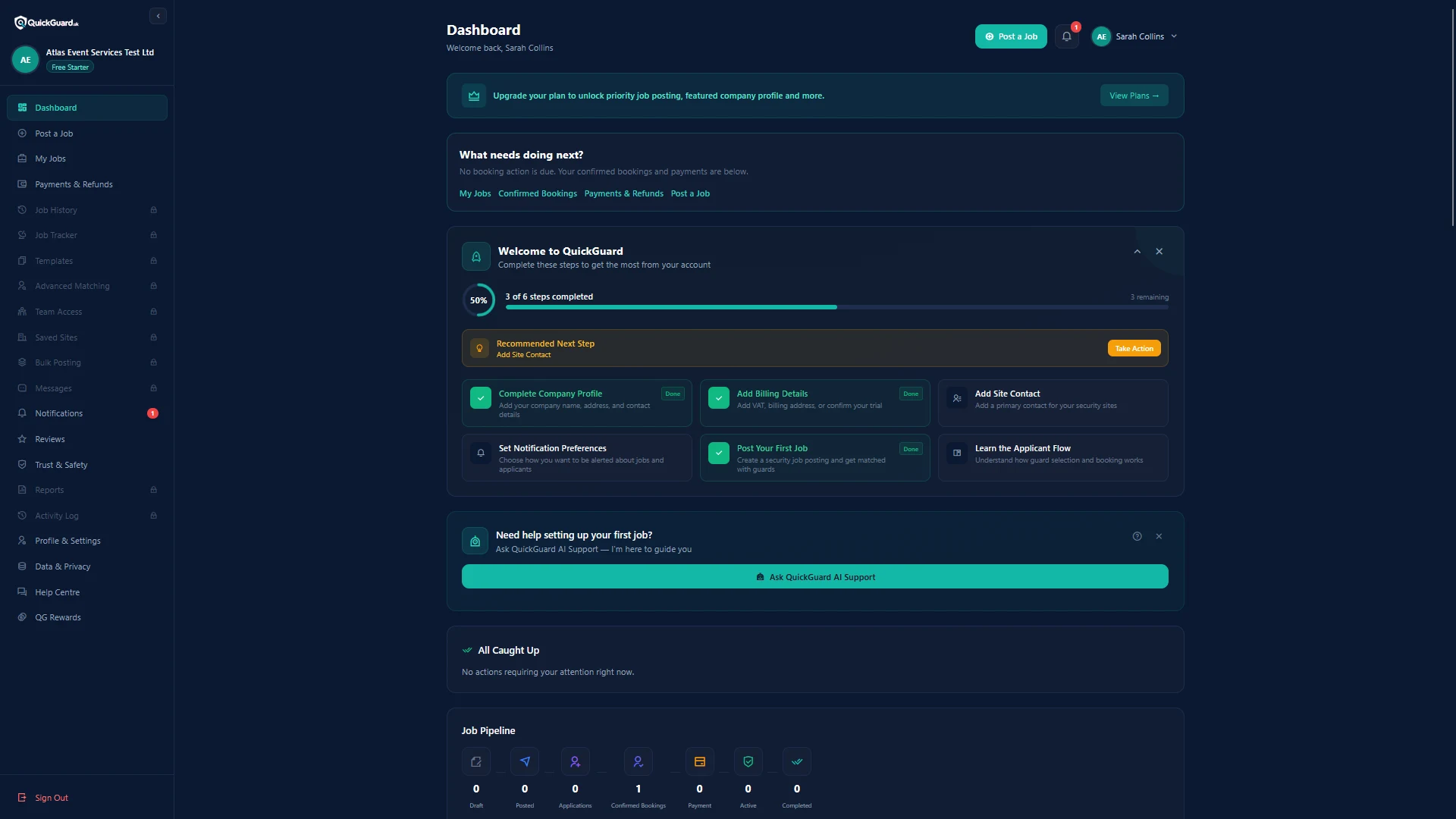
Client Dashboard
See where to find jobs, payments, profile setup and QuickGuard AI support.
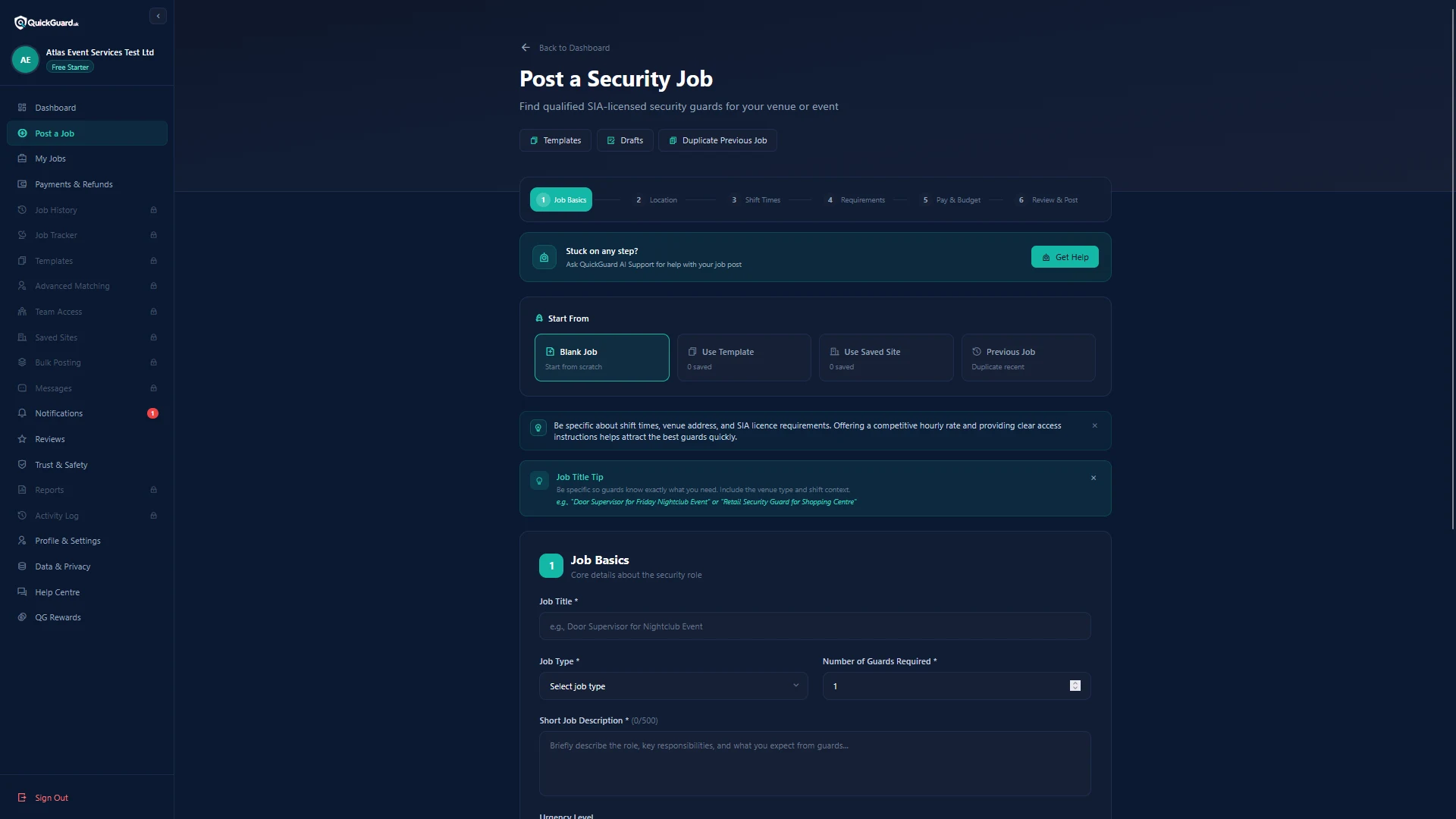
Post a Security Job
Follow the guided job-posting flow from job basics through review and posting.
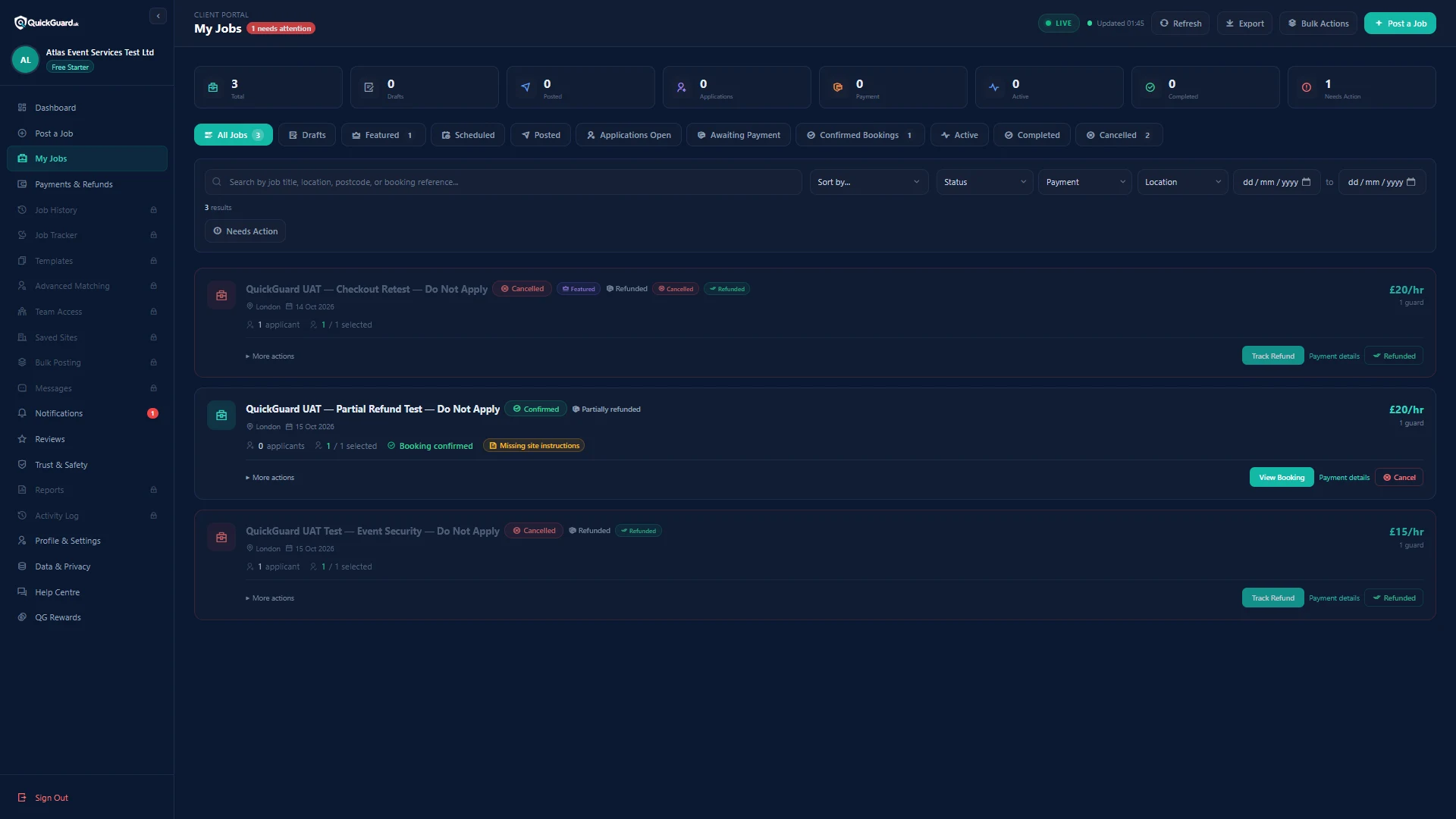
Manage Your Jobs
Track confirmed bookings, payment status, cancellations and refunds from My Jobs.
Frequently Asked Questions
Everything you need to know
Still stuck?
QuickGuard AI Support answers platform questions 24/7. Anything that needs a person is escalated to our team during business hours.